Do you love your Product Backlog? Do you stare at it for long periods of time with a dreamy look in your eye? Does the mere whisper of its User Stories make you shiver with delight?
No?
Don’t feel bad. Most of us don’t either. A good Product Backlog is hard to find and even harder to keep up. So how can we get to the point of “Super Fantastic Product Backlog Goodness”™? (Note: I actually have no legal trademark over this phrase, but I should because it is totally awesome.) Here’s a few ideas of how to build and maintain a better backlog:
It All Starts With The Product Owner
Since the Product Backlog is the responsibility of the Product Owner, it goes without saying that their ability and availability have a significant affect on the quality of your backlog. Stay tuned for a more in depth posting about choosing the right Product Owner.
Writing Good User Stories

There are plenty of good posts and online resources around writing good User Stories so I will only hit the high points:
- Size – One of the biggest problems I have seen teams struggle with is sizing stories appropriately. What size is appropriate? Well that depends mostly on your team. A good rule of thumb is that a story should be no larger than what you can finish in half a Sprint. I mostly see teams err on the side of too large since they have a hard time thinking a smaller story add legitimate value on its own.
- Roles & Personas – Too many times I see stories start with “As a user..”. Who is this user you speak of? Even if this story does apply to every single use who will ever use the system, the subtleties of how they interact with he system and what they expect can be different and imply other design considerations. Be sure to spend some due diligence figuring out the various types of roles for your application and some specific personas who would fulfill those roles.
- Clear Value – The third part of the User Story that outlines the benefit the user will gain from the described feature is often the hardest one to document. Smaller stories may seem to share the same benefit (and in some cases actually may), but don’t gloss over this part. Specifying the benefit of the feature helps with prioritization as well as giving the Scrum Team a better idea of why they are developing it.
- Acceptance Criteria – Even more so than the actual story itself, the Conditions of Acceptance are key for giving the Scrum Team a better idea of how the feature should work when complete which leads to better estimates, better test cases, and a idea of when the feature is complete. As a story is groomed and given more detail, turning these into actual high level test cases is a good way to make sure the team has a clear vision of how to meet the needs of the users.
Grooming The Product Backlog
The Product Backlog is not an artifact you work on at the start of the project and then ignore for the remainder. You constantly groom the backlog, adding to it, reprioritizing it, and gathering the appropriate amount of detail as stories rise to the top (more on this later). If you do not spend a fair amount of time grooming the backlog it can grow into a gnarly Phil Spector-ish mess.

Most Scrum pundits proclaim a Scrum Team should spend 10% to 15% of the Sprint estimating the items on the backlog with the Product Owner. If you are running two week Sprints then that is almost 6 hours. I normally suggest breaking it up into two separate sessions so that if in the first one there are questions from the team the Product Owner has time to get answers. There is not a team I have met yet that does not initially balk at that. “Two more meetings each Sprint?!?! I’d rather spend that time coding.” You are going to spend the time either way.
When you are estimating stories, you are reviewing them together, discussing your approach, clarifying business requirements, etc. This information is invaluable for getting solid estimates and for helping to ensure you don’t get sucker punched in the middle of a Sprint due to an ambiguous story that suddenly becomes much bigger than expected. If that happens you will definitely spend more than a few hours figuring it out in the Sprint and jeopardizing other stories in that Sprint in the process.
Along with the Scrum Team dedicating time for estimating, the Product Owner must also dedicate time towards grooming the backlog each Sprint. This means holding story sessions with the stakeholders and users to get new stories, reviewing the priority of the backlog, and gathering more detail on stories that are high enough on the backlog to be slated for the next 2 or 3 Sprints. This is where the availability of the Product Owner becomes crucial. Poorly groomed stories tend to take the Scrum Team by surprise in Sprint Planning which causes them to be poorly implemented or run long.
Not All User Stories Are Created Equal
The big myth about Agile is that it allows you to “get more stuff done faster with less people”. Not true. And if someone tells you that you should punch them in the ear. Agile is supposed to help you get the important things done quickly with probably about the same amount of people. (If you disagree then you can find me and punch me in the ear.)
To ensure that you do the most important stuff first you must prioritize your Product Backlog items. This does not mean applying some business value metric and the sorting your backlog on it. The value of a backlog item has many different variables: business value to the user/company, the effort to deliver the feature, the ROI (business value divided by the estimated effort), it relation to other features that may need to come before it, and less tangible factors such as politics and solar flares. And on top of that it can change frequently. So prioritization needs to be part of any regular grooming.
A friend of mine compared a well prioritized backlog to a PEZ dispenser: you pop back the top and the delicious candy on top pops out!

Be Ready To Throw It All Away
Remember that a good User Story is a “reminder of a conversation”. It is not a specification to be strictly adhered to. Once you commit to a story and start working on it during the Sprint, the team and the Product Owner can refine it as needed. Any effort you put into detailing a Product Backlog item is potentially wasted time if done too early in the process and in too much depth. Try not to get too hung up on the story and beware of sayings like “Where does it say that in the story?”.

If the story says A + B = C, but while you are developing it the team and the Product Owner find that A + B = X then that is what it is. Do you go back to the story and change it? In my opinion, no. So where would you capture this change? In the test cases. This should be tested for in some kind of test (unit, integration, feature, whatever). Static documentation of a story can grow stale if not constantly updated and let’s face it, who the hell wants to update documentation? A test, on the other hand, verifies what the code does and as we all know “the code is the truth!”
Now Go Be Super Fantastic!
Hopefully these ideas will help you go make your own totally awesome backlog! I’ll explore implementing a good deal of these concepts in Team Foundation Server in an upcoming post.

Agile 2009 is in the books and this was my first year to attend and lucky enough to present. Unfortunately duty called and I was only able to attend the first two days, but I still had a great experience.
The Location
This year's host city was Chicago and I had never visited before. We were right downtown with easy access to everything and my wife and kids went with me and had a blast at Navy Pier, the local parks, and Fields museum. The conference was setup at the Hyatt hotel. The hotel was nice but the wireless access was only available in the open area and not in most of the break out rooms. Plus I don't think anyone's cell phone worked as we were many levels underground. I had also wished there had been a pool for my girls, but it was still a very nice place to stay.
The Setup
I've helped put on a conference before (http://www.devlink.net/) so I know how much work goes into getting everything setup. The staff was very well organized and they all did a great job. I loved the open jam area. I spent many hours sitting in a bean bag checking email or chatting with attendees. The session rooms were large, well laid out, and equipped with very nice projectors and large screens.
The first night I spent a few hours in the Music Masti room jamming with a handful of other attendees. There were some seriously good musicians and playing some very cool jazz. I only wish I could have spent more time there.
My Session
I presented "Implementing Scum and XP using Team System" Monday morning. There were many other big hitters presenting at the same time and with .NET being the minority representative I was pleasantly surprised with the number of people who attended. Everything went well and the crowd was very engaging. Plenty of conversations sprang up afterwards and someone even recorded the audio and should be posting it soon. The main criticism was that many wanted to see VSTS 2010 rather than 2008. Next year!
Other Sessions
Since I was only there for two days and I had several long chats with colleagues that captured a large amount of my time, I only was able to attend two full sessions. While I have seen most of the presentation before, I went to Robert Martin's Software Craftsmanship session because he is always an inspirational speaker. My table had a few people new to the concepts and a few zealots. Our resulting conversation afterwards inspired me to start writing a blog post on Software Craftsmanship for the Working Class Developer to be posted next week. The idea is that most shops do not initially have the experience or commitment to implement many of the practices from this movement. I think there is a middle ground for these shops to strive for as a gateway to a more in-depth adherence in the future.
I went to two sessions, one on TDD and one of refactoring, that were not introducing any new concepts to me and were in Java and Ruby so I was not as in tune with the examples. While these were both good presentations, I left early to connect with some people I only get to see every now and then at gathering like this (more on this later).
The second full session I attended was the keynote on the second day by Alistair Cockburn entitled "I Come Not to Praise Agile, But to Bury It." Of course everyone will talk about his grand entrance complete with bagpipes and his own twist on the matching soliloquy from Shakespeare's Julius Caesar. I really liked his presentation as he talked about how Agile is not dead, but ready to evolve into something new. He did not say what that something would be but talked about some of the concepts that would be involved.
The People
One of my main goals for this conference was to make some good connections and I was not disappointed. I ran into Corey Haines who I met at devLink 2008. I did not get to spend anytime in his infamous debates because he as volunteering the days I was there, but there is always next year. I finally got to meet David Starr in person after talking to him online for years. We had some great chats in the Open Jam bean bags covering Scrum certifications, software craftsmanship, and Team System. David and I recorded an episode for his podcast at http://www.elegantcode.com/ that should be out next month.
I got to meet several members of the Team System product team which included the main man Sam Guckenheimer. Sam was great. As we talked, if I mentioned any resource I needed or contact I wanted to make he whipped out his laptop and boom sent the email to get me what I needed. I also ran into the guys from Conchango, Colin Bird and Simon Bennett. Colin and I dove into the beta version of their Scrum process template for VSTS 2010. It was nice to see many of the common extensions I made to the 2008 version made it into the new one. Simon and I talked about the changes coming to the Sprint Task Board and some other new applications coming out with the release of 2010. They also had a very cool Microsoft Surface app for planning poker that can be yours for the low, low price of $10K!
It was also very cool to be able to meet some of the biggest thought leaders in Agile. Early the first day they had not yet setup all the signs for the conference and as I wondered around I asked a nice lady for directions only to find out she was Mary Poppendieck who was so great. Later that same day I was having a great conversation with some of the guys from Thoughtworks when Martin Fowler joins us. I ran into Jeff Sutherland again who I was lucky enough to attend his CSM course last year. I would love to name drop some more, but those were the main people I met.
The Conversations
While there were tons of great sessions I absolutely love just sitting with other Agile enthusiasts talking shop. Day one I was sitting with some guys from CarFax who were describing a great sounding XP shop where Ron Jefferies had come in and worked with management as well as the developers to get them setup. We had a very interesting conversation around technical debt.
There were many conversations about using Team System for Agile and implementing practices from the Software Craftsmanship movement. I t was nice to see many people from Microsoft there being so involved in the Agile community. It was a bit sad that so many people still make cracks about .NET (and Microsoft) being second class citizens in the Agile movement. Sometimes for a community supposedly open to embracing everyone they can be a bit elitist.
The one conversation I was disappointed with was the one around Scrum certifications. I totally understand that the CSM and CSP are benign as a measure of anyone ability. I currently hold both of these and they really only signify that you have been exposed to a certain amount of training on the subject. My main concern is that the Scrum framework itself gets the brunt of the rancor from the community. Scrum is not hurting Agile, poorly trained people are hurting Agile. Even with the paper tiger certifications, the Scrum Alliance marketed the process like no one else and helped get Agile more widely accepted in the mainstream. If our worry is that the core concepts are going to be diluted by the mainstream adoption of Scrum's mechanics, then let's not bash Scrum, let's find ways to maintain the ideals.
Conclusion
I cam away from this year's conference reinvigorated and ready to get back out there even more so in the Agile community. Next year's conference is going to be in Nashville and I am already trying to get our local Agile community amped up. Can't wait to see everyone here!
While I love implementing Scrum in Team System, nothing can quite compare to a physical story wall of sprint task board. The intimacy and tactile nature of moving cards around on the board cannot be replaced. However, a good many of my clients who are implementing Scrum shy away from using note cards and sticky notes. Conchango provides a very cool WPF app that simulates a sprint task board, but even when you have it projected on a large screen, someone still has to sit at the computer to move items around and it is either a logistical nightmare having each person sit down to do this or one person does it while everyone tells them what they did and you start to loose the attributes that make the task board such a great tool.
You could go out and buy a large touch screen monitor and mount it in the Daily Scrum room if you have $3000 to $5000 just lying around. Or you could buy an interactive "smart" white board for about the same cost. If your company is that much invested in Scrum that they will approve such an expense, please let me send you my resume! The rest of us do not have that kind of money to spend and I was very intrigued when someone sent me this link to a YouTube video featuring an interactive story wall using Mingle. Upon further investigation this setup can be easily achieved with less that $100.
Johnny Chung Lee from Carnegie Mellon University came up with an ingenious way to use a Nintendo Wii Remote to create an interactive whiteboard. Here is what you need:
- Bluetooth receiver (~$20 or free if already on your computer)
- Nintendo Wii Remote ($35 at Wal-Mart)
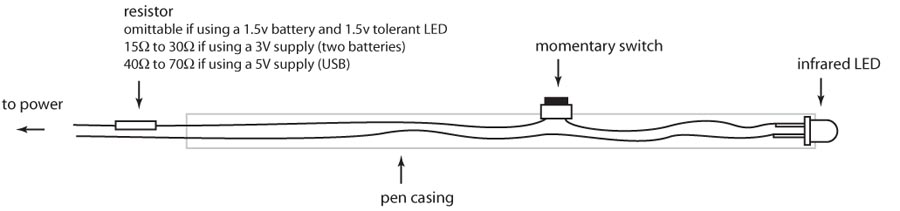
- Infrared Pen ($18 at Wiiteachers.com)
- Johnny's Wiimote Whiteboard Software (free)
Getting Connected with Bluetooth
The first laptop I tried this on was a Sony Viao and it came with the standard Windows XP Bluetooth stack which while it will see the Wii Remote it does not really know what to do with it even once it have been connected. I had to download the stack from Bluesoleil to get it the connect and be recognized by the Wiimote Whiteboard Software. The download is only a trial and the purchase the product it was $30 USD.  My work laptop did not have Bluetooth so I just decided to buy a Bluetooth receiver so I could then setup everything up on any computer with a USB port. The website WiiBrew has a list of Bluetooth drivers and receivers that are known to work with the Wiimote. I bought the Cirago BTA-3210 USB 2.0 Micro V2.0+EDR Bluetooth Dongle on TigerDirect for around $20 and it comes with the Toshiba Bluetooth drivers.

I inserted the Cirago receiver into my USB port and installed the drivers from the included CD. After a reboot I opened the Bluetooth Settings windows and clicked new connection, I pressed the 1 and 2 buttons on the Wii remote to put it is discovery mode and it was recognized without a hitch.
The IR Pen
I mentioned this project to my wife early on and she ordered me several LED pens from Amazon which was very sweet of her but none of them worked. You need an IR pen with certain specifications. There are many sites with the specs on how to build one, but I just purchased one from Wiiteachers.com for around $18. It is a standard Expo dry erase marker that they gutted and then fitted with the IR light, a switch, and place to put a single AAA battery. There are a few fancier pens out there, but this one was cheap and worked well.
 Setting it all Up
Once I had everything (I already had a few Wii remotes at home although the kids did complain when I took one away for work), I setup a projector connected to my laptop, connected the Wii remote via my Bluetooth receiver, ran the Wiimote Whiteboard application, calibrated the IR pen, and was using the pen as a mouse.
A few notes on the setup:
Set the Wii Remote to the side with a clear view of the entire projected screen. The IR sensor has about a 45 degree angle and several times the calibration worked fine but it could not see the outer edges of my screen. I finally mounted (with a rubber band) the Wii remote to my camera tripod and set it over to the side of the wall I was projected on.
When you use the pen you have to make sure you body is not blocking it from the IR sensor on the Wii remote. This was not too much of an issue because I had to be to the side of where I was using the pen anyway as to not cast a shadow over the projected area.
If you bump the Wii remote, the projector, or resize your desktop you will need to recalibrate the pen. This is very easy to do with the Wiimote Whiteboard application. Also if you use it with a Virtual PC image, the desktop resolution on the Virtual PC needs to be the same as the host desktop or the pointer and the pen are off a bit.
The Virtual Sprint Task Board
Once everything was working I opened up my Virtual PC with Team System 2008 and the Conchango Sprint Task Board application. The setup works great and I can easily move tasks from one state to another as well as tap on an item to get the detail pop up window. The scale slider at the top of the board allows you to zoom in and out so you can see the entire board or zoom into a specific set of User Stories.
Windows comes with a virtual keyboard that you can use to type using the IR pen. This is not super optimal, but it works for small things like updating a tasks remaining hours. The Windows version is fairly rudimentary so I downloaded the freeware version of Touch-It's virtual keyboard which had some added features like docking, customizable keyboard layouts, etc.
While it is still not the same as an actual physical board with note cards, for those using an Agile management tool already this is a cheap way to get close to it. Here is a short video of me setting this up and using the task board.
I'm getting some great feedback from my last post on Scrum management tools from various places and I realized I left off an entire section when I published yesterday so I wanted to post the missing part. Here is another big part of any Scrum management tool:
Release Planning
Release planning is a very useful exercise to help forecast when features will be ready in the future (as much as possible with the ability to rearrange the entire Product Backlog after every Sprint). This often puts management more at ease since they have convinced themselves that when they used to see project plans with Gant charts they were more predictive (which is usually not the case). Here are some things to look for in a management tool around this:
- Drag and Drop: Some of the better tools out there allow you to view your Product Backlog and drag items from it into Releases and Sprints. This side by side view provides a great way to plan and try "what if" scenarios.
- Velocity Indicators: Along with the drag and drop mentioned above, the ability to enter velocity for the Sprints and have the interface visibly show you how many Story Points are used/free in each Sprint (and a roll up into the Release) really helps with planning also. The better ones show this both by the numbers (like 4/10 for used/total) and with a bar showing green when you have plenty of free Story Points left and goes yellow to red as you fill up the Sprint.
- Capacity Planning: Being able to calculate the capacity for each Sprint by taking in consideration team members availability is key for less cross functional teams. You should be able to set each members individual capacity per Sprint and include days off and holidays.
- Velocity Averaging: Mike Cohn prescribes taking the average of the 3 top most velocities for the last 6 months and the average of the lowest 3 velocities for the same period to use as a range for Release Planning. It would be great if your management tool could do that also!
Sorry I left this off from my original post.
Also, there have been plenty of people telling me tools I missed. I apologize as the intent of my post was not to list all the options but rather concentrate on the desired features. My list at the end of the post was just some of the top vendors according to some of the various surveys I have seen. Below is a chart form the VersionOne 2008 survey. Please feel free to keep posting comments on other tools, but do not be offended if I did not mention your weapon of choice.

 As Scrum and other Agile practices gain wider adoption there has been more need for tools to help manage these types of projects. Yes, I know, the Agile Manifesto says to respect “Individuals and Interactions” over “Process and Tools”, but even the purists are seeing that larger scale projects require something more than the prescribed low tech task boards and sticky notes. If used correctly these types of tools can help with your Agile practices.
I constantly see postings on various Agile forums asking what is the best tool to use. There are even several blog posts out there outlining the pros and cons for the various packages currently on the market. I find the choice of which tool to use is very contextual and while you do need to do you research on all the different vendors and offerings, you should really get a good idea of what you want from a tool before you go out looking for one.
For instance: If you are a smaller shop that has been previously using the note card and sticky note approach, you would probably not want to jump into a larger, all encompassing tool at first. A larger shop that is moving from a much more structured approach would tend to want something with more features to give them some of the same abilities they had with their previous toolset. Also, various people (Product Owners, Scrum Masters, developers, testers, stakeholders, etc.) have different expectations of how they will interact with these tools and what they will get out of them.
So I thought I would talk about what functions you would perform in these tools and what to look for while evaluating them:
Product Backlog Maintenance
Argue with me all you want, but managing the Product Backlog is one of the more important jobs in Scrum. If you have a crappy Product Backlog, you will get a crappy product no matter how well the actual practices in the Sprint are performed. So what should we look for in this area?
- User Story Support: User stories are basically the standard way to capture requirements in the Agile world and any tool claiming to be a Agile management tool should allow us to easily record and manage them. This means containing areas for the user story, conditions of acceptance (or How To Demo), acceptance tests, story points, business value, and delivery order at a minimum.
- Other Product Backlog Types: While I just stated that User Stories are the primary mechanism for capturing requirements, I do think there should be support for capturing things like technical requirements in the Product Backlog too. Even if I record these non-functional requirements in the same User Story format, I like to have a way to define it as a technical requirement for reporting purposes. It also helps with testing since these types of requirements sometimes do not change the user interaction so there would be no new user acceptance tests, but they often require extensive regression testing of existing functionality. Having a way to separate these types of requirements is helpful to the testers to know what will require new tests to be written.
- Batch Entry/Editing: From experience I know that a tool that requires me to open various windows to enter or edit multiple Product Backlog items makes planning meets a laborious process. The best support I have seen for this functionality is the ability to export and import from Excel.
- Epic/Theme/Feature Hierarchy Support: When planning a large scale project it is important to see the smaller user stories in their larger context by grouping them as feature sets, which relate to a theme, which originates from an Epic. I’ve heard complaints from management about Product Backlogs with small User Stories are tactical approaches and they want to see things at a strategic level. By rolling the smaller stories up to these various levels you provide that type of view to them.
Sprint Backlog Maintenance
Transparency is a key element of Scrum and keeping up with the tasks in the Sprint Backlog accurately is one of the keys to providing that visibility. While the Product Backlog is managed by a single person normally (the Product Owner) and is not usually touched every day, the Sprint Backlog is managed by the entire Scrum team and should be updated daily (if not several times a day). This makes the nuances to interacting with the Sprint Backlog a little different. Here’s what I look for:
- Easy Access to ‘My’ Tasks: Since we want the team to update their tasks frequently, I need to make it as easy as possible for them to view their open tasks, update the task, and grab another unassigned task. While Virtual Tasks Boards are great for this in the Daily Scrum, I just want to talk about editing the Sprint Backlog items during the rest of the day. The best way to ensure this is to integrate with the tool I use most often, which for a .NET developer like me is Visual Studio. But we cannot forget other team members like testers who may or may not being using the same tool.
- Batch Entry/Editing: Once again from experience, when you are adding multiple Sprint Backlog items in a Sprint Planning meeting, having to do it one at a time in a new window for each one is a time suck. Excel is once again a great way to do this so look for export and import from the Sprint Backlog as well as the Product Backlog.
- Custom Views: As a Scrum Master you will frequently be looking at the Sprint Backlog for various reasons. Because of this you may want to sort or filter the view differently. Having the ability to create your own views of the Sprint Backlog (and this goes for the Product Backlog too) is essential. For example I use a view that shows me what Sprint Backlog tasks were edited today, yesterday, and three days ago (for Mondays to see what was edited on Friday). Scrum team members can also use this for the ‘My tasks’ functionality I mentioned above.
- Product Backlog Linking: Just as a User Story links back to a feature, theme, and/or epic, each Sprint Backlog item should link back to an item in the Product Backlog. This is essential for reporting purposes. On the opposite side of that rule there will be unplanned work that may not tie back to the Product Backlog and I should be able to easily identify these orphaned tasks.
Information Radiators
Alistair Cockburn coined the term ‘Information Radiator’ which he described as a type of display that relays critical and frequently updated project information. Furthermore the display must relay the information in a way that the viewer requires very little effort to gauge its intent. In other words I should be able to walk by and with a glance get an idea of the status of some facet of the project. These are normally displayed in the open where the entire team can see them, but with distributed teams that becomes difficult. Here are some of the features and specific types of Information Radiators to look for:
Types of Information Radiators
- Sprint Burndown Chart: The most useful and common of the Information Radiators is a must have in any tool. Some additional features I have seen in some tools that I liked:
Track Done Burndown: Most burndowns are based on “work hours remaining” which sometimes does not tell the whole story. If you have only 20 hours left across 4 Product Backlog items then it would look like you are doing well, but if there are 5 hours remaining on each Product Backlog item and none of them are done then it can be misleading. A track done report simply reports on the number of Product Backlog items that have been marked as Done versus those Not Done (and sometime it will show In Progress ones differently).
Capacity Trend Line: This is the line that shows you where you will be based on your team’s current capacity based on the number of hours to be worked. It is a good indicator if you have bitten off more than you can chew from the start.
Moving Average Trend Line: This one always threw me for a loop until I understood what it was supposed to show. There a several flavors of this (the most complicated being Linear Regression), but what it boils down to is based the average rate of burndown (positive or negative) from a set portion of history, if you continue at that rate the line shows you where you will be at the end of the Sprint. So if you are entering more Sprint Backlog hours at the beginning of the Sprint than you are burning, this line will slope up because if you kept adding more hours than you took away you would never reach 0 hours. It usually looks this was at the beginning but when we really get cooking and have stopped adding in new tasks, the trend line tips over and we get an idea based on an average of our last few days where we would wind up if we kept that average up. If that does not make sense then read this, which will probably make even less sense! - Product Backlog Burndown Chart: If you have multiple projects each with their own Product Backlog, then the Product Backlog Burndown is a good indicator of how close you are to finishing the entire project. It shows the number of Product Backlog items remaining either over time or by Sprint. If you have a companywide Product Backlog then this has less immediate relevance since if it ever went to 0 then you either reached perfection or went out of business!
- Hours/Tasks Breakdown by Team Member: There are several versions of these types of reports but they basically show each team member and how many Sprint Backlog items (or tasks) they have closed, are currently working on, and the hours remaining. It is a quick snap shot to see if someone is falling behind. This should be something you naturally discover during the Daily Scrum if you are doing it right but with larger teams it may not be as obvious.
- Bug/Fix Trends: Management loves metrics about bugs: How many bugs did we fix last sprint? How fast are we fixing bugs? What is the breakdown of bugs by testing/user impact? Having some nice graphs and pie charts to show the answers to these questions in an easy to view display makes management happy. It can also help a team quickly identify if they have a code quality issue.
Display Options for Information Radiators
As I said before, it is important that Information Radiators be as visible as possible to the entire team. So there are other factors to consider from a tool in this area:
- Multiple Means of Access: If the tool only allows you to look at these charts and reports through the tool itself, then you will have limited options when trying to display them for your entire team to see or offer management a way to view them on demand. Most tools provide these reports via the web which can work for most situations, but the better tools I have seen offer them through something like SQL Reporting Services which has many options of delivery including web, email, and exports to Word/PFD/Excel. This will be especially crucial for a distributed team to all have access to this information.
- Rotating Views: Frequently I see companies putting large LCD screens in various places around their buildings to convey information to their employees. This is a great idea for information radiators also. A good tool will allow me to pick and choose different reports to be displayed on a rotating basis on an external monitor making it a very effect way to show everyone the status of our projects.
One of the reasons the Agile world tends to stay away from management tools is that they may force us to adopt the tools process over the process that is best for our team. So for a Scrum management tool to be effective, it must allow us to customize it to fit our needs. Here are some common customizations:
- Ability to Edit Backlog Fields: There have been many times when implementing Scrum for a client that they have needed to record additional information in the Product and Sprint backlogs. This would require the management tool to allow us to add, edit, and remove fields for backlog items.
- Ability to Edit Backlog Workflow: We are used to the standard ‘Not Done’, ‘In Progress’, and ‘Done’ type workflows for Product and Sprint Backlogs, but often teams will want to modify these for things like ‘Ready For Test’, ‘Deferred’, ‘Code Reviewed’, etc. Not only is it nice to be able to change the states, but changing the workflow rules is a nice feature along with it.
- Ad Hoc Reporting: When you start using a management tool in the Scrum, a ton of data can be captured. You start to be able to easily track trends like how fast does the team close and ‘In Progress’ task, how often do we add new tasks in the middle of the Sprint, etc. This is very useful information and the ability to pull that data out of the tool and report on it can give your team much more insight in how it is performing.
Integration
Managing backlogs is only one part of the Scrum process. During the Sprint there are tons of activities going on that may use other tools such as unit testing, source control, feature testing, automated builds, etc. The ability to integrate with these tools can add even more power to your management tool in a few ways:
- Linking Source Code to Backlog Items: When you add code to your source control repository, the ability to link it to the appropriate Sprint Backlog task (and through that the corresponding Product Backlog item) gives you even more reporting options. You can quantify the exact codes changes that took place for any given requirement.
- Automated Work Item Creation: A common example of this is creating a Sprint Backlog task to after a broken build. If you have setup a continuous integration tool that builds whenever code is checked in or on a scheduled basis, if that build breaks you can have a Sprint Backlog task automatically created to fix the build. You may already have internal software tools for tracking bugs or high level requirements and having the ability to setup some type of synchronization between those tools and your Scrum management tool can help with adoption since it builds upon tools your company has a current investment in.
- Linking Test to Backlog Items: Just as with source code, the ability to link unit tests or automated feature tests to Sprint/Product Backlog items helps with stuff like traceability matrices. If management asks the impact of changing a piece of functionality you can easily make the change locally and then run all the linked tests to see what it breaks or ensure it does not break anything. It will also help identify tests to be run for regression testing when changes are made to existing code.
Making the Choice
The functionality above covers the biggest feature sets I can think of, but there are probably others. While most of the mainstream tools out there cover the basics fairly well, the other functionality mentioned above could be the deciding factor over one or the other.
My advice is to think of what is the most important set of features for you team and then examine each of your choices to see which ones fit your criteria the best. To help get you started below are some links to some of the top tools on the market. Happy hunting!
After my presentation at the Nashville PMI IT Local Interest Group last night, several project managers stayed to talk about estimating and project forecasting with Scrum. One was skeptical about being able to reliably tell management where they would be 6 months or 1 year down the road. Another was in an experienced XP shop that only planned for the current iteration and was having trouble meeting long term goals. The coincided with a thread on the Lean/Agile Yahoo group about estimation and planning that includes contributions from many experienced Agile leaders.
One of the posts had a link to an older presentation by Mike Cohn at Google on estimating that is a fantastic introduction to how to estimate and forecast in an Agile project. Here is the PDF version and the YouTube part 1 and 2 are below. He has many of the examples I have seen and used in my presentations based on studies done at Simula Research Laboratories in Norway. It is good to have this research for the skeptics you will eventually encounter. I really like the "Zoo Points" exercise and plan to add it to my training. Mike (and others) have many more great presentations at the Mountain Goat Software site.
This is a great intro to estimating User Stories (i.e. Product Backlog Items) and performing release planning to have an idea of where your project might be far into the future.


- My company Compuware
- My blog (which you are on now of course!)
- Conchango Scrum template for Team System
- Ken Schwaber's book on Scrum
- Scrum and XP From the Trenches by Henrik Kniberg
- Certified Scrum Master training
- Microsoft's eScrum TFS template
- TFS Light Weight Scrum template on Codeplex
- devLink Technical Conference
- People we mention: Ken Schwaber, Jeff Sutherland

Many detractors of the Scrum framework claim it to be too thin and does not include the prescribed Agile engineering practices like XP. Scrum is actually supposed to be a very light weight framework for a company to adopt into the development process. It is minimalistic on purpose.
As far as the engineering practices, one does not have to search too hard to find all the primary originators of Scrum stating that it is a management wrapper for XP. The Control Chaos website has a good summary of the xp@scrum approach here. During my Scrum Master training, Jeff Sutherland himself featured the graphic below prominently in his first few slides and stressed how the engineering practices of XP were essential to getting more productivity out of any Scrum implementation. Ken Schwaber has also co-authored an article about combining Scrum and XP.
All of this information has been around for quite awhile and is fairly prominent, so I find it astounding that so many still see these approaches and not compatible. Jeff also told us in our training of the infamous email he received from Kent Beck in 1995 asking for more information about Scrum so he could incorporate it into his approach:
"Is there a good place to get reprints of the SCRUM paper from HBR? I've written
patterns for something very similar and I want to make sure I steal as many
ideas as possible."
In general, Scrum leans more towards a management process that supports Agile development processes like the ones prescribed in XP. I personally believe that you cannot be very successful with Scrum without implementing things such as Continuous Integration, Unit Testing (TDD), Coding Standards, Small Iterations, Sustainable Pace, etc.
I also think Scrum is a bit more acceptable to the masses (which some people also site as a detractor) that a pure implementation of just XP. It is called extreme programming for a reason!
Hopefully this combined approach will be what people implement rather than just adopting the Scrum mechanics and continuing to develop with their same, non-agile methods. This would most likely lead to failure and that usually gives people the impression that the reason for the failure was Scrum.

This week I attended a Certified Scrum Master course in Atlanta led by Jeff Sutherland and Joe Little. It was a great opportunity to hear best practices from the man himself. It was also great to be around a good group of people in different stages of adopting Scrum and we had some really great conversations.
 Me with Jeff Sutherland in Atlanta.
For my first post on the training I wanted to describe how the course itself was run. One of the interesting approaches was that the training was run like a Scrum project. Each day Jeff populated our Sprint Task Board with subjects we would cover that day. Each hour he would move the cards on the board and update a burn down chart. All of the exercises were time boxed and he kept things going with Tibetan meditation bells to end a session.
 Our course's sprint task board.
 The course manual had quite a bit of content and we did not make it all the way through the book. Jeff skipped around quite a bit and his slide deck had updated content that was not in the book but was provided to us afterwards. A good bit of content came from Henrik Kniberg's Scrum and XP from the Trenches book which I reviewed in my last blog post.
Jeff had many anecdotes of adopting Scrum from his many years of experience that made the ideas behind it a bit more real. There was a lot less rhetoric than I had anticipated and he backed up all the ideas with hard numbers from a multitude of studies. These numbers are great fodder for conversations with management when trying to convince them to adopt Scrum.
There were also some very cool activities that really illustrated the contrasts between traditional practices and those prescribed with Scrum. There are many paradoxes in Scrum (and Agile/lean processes) that produce results that are contradictory of what most people would think. I plan to post more info on some of these activities soon.
All in all it was a great class where I not only had a good bit of what I have been doing for that past couple of years validated but learned many new things as well. I would strongly suggest that if your company plans to implement Scrum that everyone involved in software development attend a training course of this type. Jeff recounted studies that have shown Scrum teams starting without a Scrum Coach or the right training normally only see about a 35% benefit initially where teams that are trained and coached well see a 400% increase in productivity.
Thanks to Jeff and Joe for a great course!

Conchango has released the 2.2 version of their Scrum Process Template for Team Foundation Server. This template is free and includes some great additions including a load of new reports, bug fixes from 2.1, and a web based report slide show. They have also provided a command line utility to upgrade your 2.1 template to 2.2. See the full details here.
They released the beta 3 version of their WPF Sprint Task Board application a few weeks ago which now supports the Scrum template 1.2 for TFS 2005 as well as 2.x on TFS 2008. It is going to be release by the end of this month and the pricing will be $90 per license for 10 copies or under. You can get discounts for larger volumes.
Yesterday I drove down to Huntsville, AL to present to the local .NET user group. The meeting was hosted in a very nice auditorium on the Intergraph company campus. The majority of the attendees worked for Intergraph who has been recently adopting Scrum and evaluating using TFS for their management tool. I ended up delivering both the "Intro to Scrum" talk in an abbreviated form and then going right into my "Implementing Scrum using Team Foundation Server" presentation. The crowd was very engaged and there were some great conversations afterwards.
I want to thank the user group leaders (Sujata, Jim, Charlie, & Steve) for having me down.
As I have posted in previous blog posts, adoption of Scrum (or any agile process) cannot be a development only effort. If done right, Scrum will have an effect on almost every department in your company that is involved in developing software. And if your company (or even just key parts of it) do not get on board, it can make for a painful process. So if you are thinking about possibly adopting Scrum, ask yourself the following questions to see how open you company might be:
- Do key members of management buy-in to the agile concept? They do not need to understand it in its entirety, but they need to be open to the new (and sometimes radical) ideas it brings.
- Do the other departments show interest in the agile concept? I have seen the most push back from QA and BA departments when adopting Scrum. Some of them see it as the developers wanting to "take over" some of their territory. It is sometimes a hard task to convince them this is is not taking over anything but sharing the effort across all departments as part of a cross functional team.
- Does the nature of your business mandate processes that are counter to Scrum's? Many agile purists claim there is not such thing, but there are simply some businesses that would have a difficult time adopting Scrum because their way of doing business demands an approach in direct conflict with some of its ideals. Strict deadlines that cannot move, regulations that require comprehensive documentation, or a level of precision that requires a large amount of up front requirements gathering and system design are not impossible in Scrum, but might cause you to adapt it to the point of loosing the true benefits of the process.
- Do you have a team of disciplined developers? This is something I talked about in another blog post. Scrum (and agile in general) is misconstrued as allowing developers to do whatever they feel like. In fact it is the exact opposite. Many developers have struggled coming from very structured shops that gave them a process to hide in and basically told them what to do. Scrum requires a developer to be cross functional and the processes themselves are meant to expose inefficiencies.
- Does your infrastructure allow for cross functional teams? The best way to work in a Scrum team is to have them physically located together. I have worked in both situations where everyone was in the same room or a short distance away to having half the team in two other states. If you cannot be together physically, you will need some mechanisms to bridge the gap and allow easy collaboration between team members. Everyone knows I am a big TFS fan and I personally would not manage a diversely located team without it. Readily available conference calls, Live Meetings (WebEx or whatever), and instant messaging are a must for every member of the team. This does not just mean developers. BAs, QA resources, IT staff, and the users/stakeholders should all be as easy to collaborate with as the developer sitting next to me.
These are by far not all the questions to ask yourself, but they are some big ones that get the conversation started. I have heard agile experts even advise adopting agile practices without management knowing and slowly work up to involving them. In my experience that is a huge mistake. Moving to Scrum or any other agile methodology should be something the entire company works together on to make a clear and unanimous choice. There are definitely companies out there that are not yeat ready to adopt a process like Scrum and may never be able to. Scrum like any other software development process is not a silver bullet and is not meant for everyone.
Coming up next for the Comfortably Scrum series: Product Backlog Items.
I have been presenting on Scrum and how I have implemented it processes using Team Foundation Server for the last year and almost every time I talk about it I run out of time. Both Scrum and TFS are complex entities and it is hard to talk about them both in one hour.
I am starting a new series of blog postings entitled "Comfortably Scrum" as a way to spend a little more time on a specific topic and do it justice. I eventually plan to accompany each blog post with a companion video.
I am currently working on the first post on gauging if your company is ready to adopt an agile process like Scrum.
More to come!
As I have worked on Scrum teams in companies that were traditionally waterfall, I have observed how the various team members struggle with the concept of the collaborative, cross functional team. Ken Schwaber describes the tendency to resist these changes and fall back into old habits as “muscle memory”. When a traditional project manager was brought onto our team as our Product Owner, he asked several questions and received answers he was not expecting:
Question: Where is the functional requirements documentation?
Answer: There is none. They are in the Product Backlog as User Stories.
Question: Where is the architectural and design documentation?
Answer: There is none. It is in the code itself.
Question: When do I get status reports?
Answer: Never. Every day we have a Daily Scrum and update our tasks in the Sprint Backlog.
While I am not a true agilist, I do believe that relying on static documentation and periodic status reports to keep track of a project is what I call “managing from afar for plausible deniability.” Being a part of a Scrum Team means accepting a large level of responsibility. Product Owners cannot simply stroll in occasionally and rely on one-off status reports to gauge how well a project is going. Everyone is involved and it is not an opt-in process. No one on a Scrum should ever be able to use the excuse “I did not know…”
This does not only affect the Product Owner. The most resistance I have gotten in the past is from Quality Assurance. Typically they are used to detailed specifications to create detailed test cases that they execute after the development process is over. In a Scrum Team, the QA testers are peer members just as much as the developers. I’ve had the complaint before that all QA was given at the start of a Sprint to create their test cases were User Stories and Conditions of Acceptance. My response is “You’re right, but that’s all I have to go on too and I have to write the code!” The best way to get QA on board in my experience so far has been to have them at every Daily Scrum and in any design or requirements gathering sessions the developers have. This means getting your testers out of their section of the office and in the thick of the development team. They can use the User Story as a starting point and then flesh out their test cases along with the developers as the functionality is created. They can perform dry runs on code that is nearing completion so that at the end of the Sprint the goal would be that all code has been QA tested at least once.
Developers are not immune to this ailment either. Some junior or less disciplined developers may become vapor locked when they have to start coding without a detailed specification. You cannot go code in the corner and be fed requirements and Jolt cola through a slot in the door. You should not turn to the Scrum Master when you have finished a task and ask “What next?” The excuse “That’s what it said in the spec” is no longer valid. Team members must rely on constant collaboration to make sure the developed solution meets the user’s needs as well as the team’s technical standards.
I must admit the teams I have been on have experienced these problems and we still struggle against old habits. We try to make good use of the Sprint Retrospective to adjust each iteration to make the process better. Our Scrum Team has met every date, encountered very few QA or production defects, and has made our stakeholders consistently happy. We have done this through constant collaboration across all members and by evolving our process. There have been very few late nights and no death marches. And I have to say that the experience had made my statement of not really being an agilist less true each time I say it.
The Conchango Task Board for Team System has been been released in Beta. It only works with TFS/VSTS 2008 and the 2.0 version of the Scrum process template. You can download it here.
I wanted to clarify that the Sprint Task Board project I mentioned last post is by far not an original idea. It is simply a side project for me to create a version that does exactly what I want it to do. There are various other versions of this in Scrum management products like Mingle and ScrumWorks. Conchango has even hinted at one for Team Foundation Server in a reply to one of my forum posts.
Working on this has helped me get deeper into the Team Foundation Server API and I will post soon about some interesting discoveries in the work item history objects.

 Posts
Posts